Car Flip Over Traffic
White open-top car rolled onto its side in mid-air above a desert road, with the driver visible in the cockpit
AI sample made from a reference photo. Your video uses your car photo.
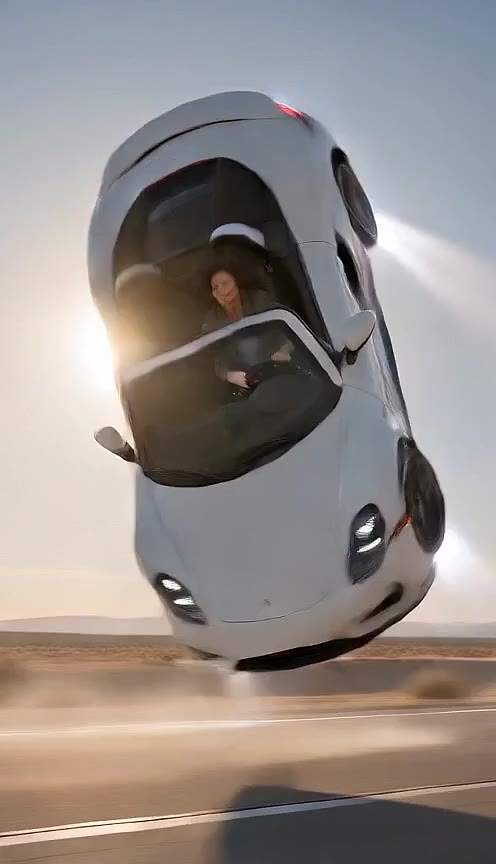
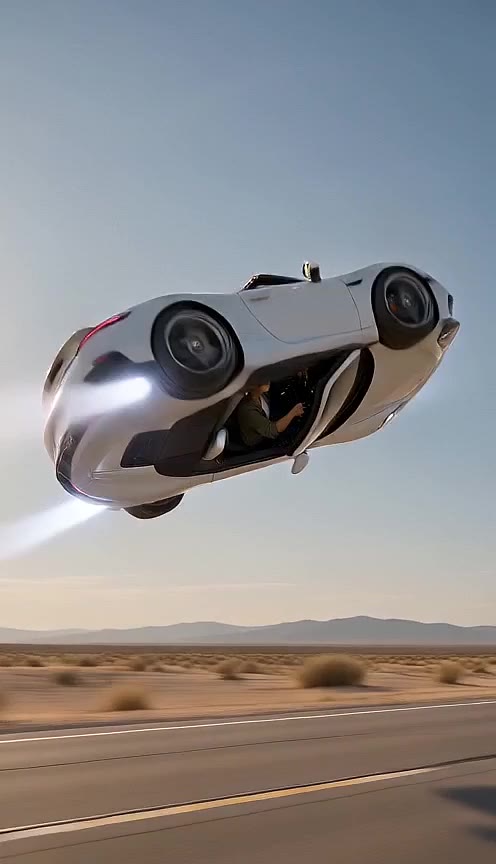
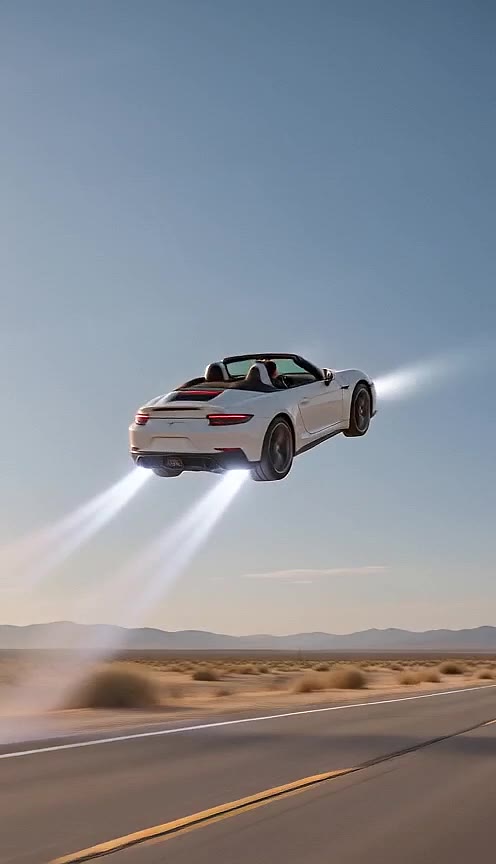
 Roadster Demo AI
Making a roadster AI video means using a car photo to generate a stunt clip.
Want to be in the driver seat? Add a selfie of yourself or another consenting adult.
Use a photo that shows your whole car, including the wheels. A driveway or parking-lot photo works.
1 video $9.90 · 3 videos $19.90 · One-time payment
Stunt selected. Your car is ready for its big moment.
Final tax shown at Stripe Checkout.
No login. No captcha. Video link by email in about 3–6 minutes.
$9.90 for 1 video · $19.90 for 3 · Credits never expire · No subscription
To make an AI video from a photo, start with your car in view. On Roadster Demo AI, choose a stunt instead of writing a prompt. A selfie can add a driver; it is optional.
Start with a photo of your car and select a stunt.This workflow uses a still photo as the reference for the car. AI supplies the frames showing it doing the stunt. The result is not evidence that the car can perform that action.
Choose a roll over traffic, a truck jump, a glide above traffic, or a ramp hang. The output runs for 10 seconds and includes sound. Its vehicle details and movement can vary.
Keep the whole car in the photo. A selfie of you or another consenting adult is optional for the driver.
Select Car Flip Over Traffic, Jump Over a Truck, Traffic Jump, or Ramp Hang.
Pay by card at Stripe Hosted Checkout with your email. Generation begins after payment. Allow about 3-6 minutes for an email with your private video link.
If you want to write the scene yourself, choose an image-to-video tool that accepts a car reference photo. Describe one action and one camera position. Check the tool controls before setting the runtime or frame shape.
Our prompt collection provides text starting points for a flip, truck jump, or traffic glide. Those examples are untested. Instructions can guide a model, but they cannot guarantee its output.
Watch the whole clip before sharing it. Look for wheels changing shape, body panels shifting, or the car landing above the pavement. These are things to inspect, not a guarantee that every clip contains them.
Use a photo where the whole car is visible, including the wheels. If the output has a problem, see the refund policy and contact support with the video link. Label the clip as AI when you share it.
Stunt sheet / HOWTO
White open-top car rolled onto its side in mid-air above a desert road, with the driver visible in the cockpit
AI sample made from a reference photo. Your video uses your car photo.
Use a photo showing all of the car from a side or three-quarter view. Check that the wheels and body edges are visible before uploading.
You may only upload photos of yourself or another consenting adult for the driver seat.
No. The system generates a complete 10-second vertical MP4 with sound automatically.
Check your selected scene before paying. See the refund policy for unused credits and problems with a delivered file. Contact support@roadsterdemoai.video with your order link for help.
Roadster Demo AI makes fictional AI entertainment. It is an unofficial fan-made tool and is not affiliated with, endorsed by, or sponsored by Tesla, Inc.